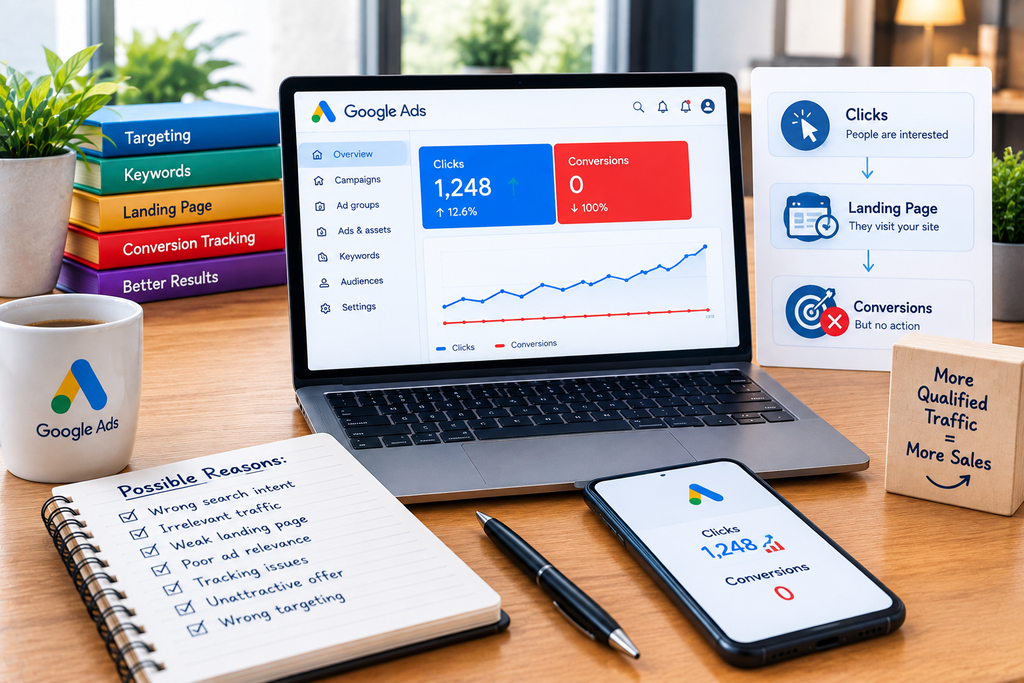
Quick answer: If your Google Ads are getting clicks but no conversions, the problem is usually somewhere between search intent, traffic quality, the landing page, the offer, or conversion tracking. A click only tells you that someone was interested enough to visit. It does not mean that the visitor was ready to buy or that your website gave them a compelling reason to take action.
Before changing bids or increasing your budget, identify where the conversion funnel is failing. If the wrong people are clicking, fix targeting and search terms. If relevant visitors are leaving without taking action, improve the landing page and offer. If customers are converting but Google Ads is not recording those actions, fix your tracking.
What Does It Mean When Google Ads Gets Clicks but No Conversions?
A Google Ads click means a person interacted with your advertisement and reached your website or another destination. A conversion is a valuable action you have defined, such as a purchase, lead form submission, phone call, booking, or other business outcome. Google describes conversion tracking as the system used to measure how ad interactions lead to meaningful actions such as sales and leads.
This distinction matters because clicks measure traffic while conversions measure outcomes.
For example, imagine a campaign receives 200 clicks but no completed forms. That does not immediately prove that the keywords are bad. The campaign could be attracting the right visitors but sending them to a confusing landing page. Alternatively, the visitors could be converting successfully while the tracking tag fails to record the conversions.
You need to determine which situation you actually have before optimizing the campaign.
1. Check Conversion Tracking Before Changing Your Campaign
The first thing to investigate is whether Google Ads can accurately see your conversions.
If a visitor completes your form, purchases a product, or books an appointment but the conversion event does not fire correctly, Google Ads can report zero conversions even though your website is receiving real customers.
Google explains that website conversion tracking uses tags and information associated with the ad interaction to connect activity on your site with Google Ads. Google recommends using the Google tag for accurate measurement across browsers and provides other measurement options depending on the setup.
Check:
- Is the conversion action active?
- Does the tag fire after the desired action?
- Does the form actually submit successfully?
- Is the thank-you or confirmation event configured correctly?
- Are duplicate conversions being recorded?
- Are phone calls being tracked if calls are an important lead source?
- Are purchases being assigned the correct value?
- Are important conversions included in the campaign’s optimization goals?
Do not assume that a conversion-tracking problem exists simply because you see zero conversions. Test the complete customer journey yourself.
For websites where users submit forms or click important buttons, Google Ads can also track specific website interactions as conversion actions.
Consider enhanced conversions when measurement needs improvement
Google’s enhanced conversions feature can supplement existing conversion tracking by securely sending hashed first-party customer data to improve measurement accuracy. It is particularly relevant when standard measurement does not capture every conversion reliably.
Implementation should follow Google’s requirements and applicable privacy and consent obligations.
2. Your Ads May Be Attracting the Wrong Searches
If tracking is working, investigate what people actually searched before clicking your ad.
The keyword in your Google Ads account and the search term typed by the user are not necessarily identical. Google’s Search Terms Report shows searches that triggered your ads and provides information that can help you understand which searches are producing traffic.
This is especially important when your campaign uses broader matching.
Suppose you sell paid accounting software and target a broad keyword around accounting software. Your ads could attract people looking for:
- Free accounting software
- Accounting software tutorials
- Accounting software jobs
- Accounting courses
- Accounting software downloads
- A feature your software does not provide
Some of those users may never have intended to purchase your product.
Review search terms and separate them into three groups:
Relevant and commercial: Keep monitoring these closely.
Relevant but informational: Decide whether this traffic supports your business objectives.
Clearly irrelevant: Consider excluding these searches with negative keywords.
Google specifically recommends using irrelevant search terms as negative-keyword opportunities.
3. Your Landing Page May Not Match the Advertisement
One of the most common reasons Google Ads clicks do not turn into conversions is a mismatch between the ad promise and the landing-page experience.
Imagine someone searches for:
“Emergency AC repair near me”
The advertisement says:
“24/7 Emergency AC Repair — Call Today”
But the visitor lands on a generic homepage containing information about installation, maintenance, commercial HVAC, financing, and several unrelated services.
The visitor now has to search for the service they originally requested.
A dedicated landing page would make the next step much clearer:
Emergency AC Repair → Service details → Service area → Trust information → Call/booking CTA
Google recommends improving the connection between ads, keywords, and landing pages so that users can find the information they expect after clicking.
Your landing page should make four things immediately clear:
- What are you offering?
- Who is it for?
- Why should the visitor trust you?
- What should they do next?
If visitors have to figure these out themselves, the campaign can generate plenty of clicks without enough conversions.
4. Your Offer May Not Give Visitors a Strong Reason to Act
Sometimes the traffic is relevant and the landing page works technically, but visitors still do not convert.
That can indicate an offer problem.
A visitor may understand exactly what you sell and still decide not to contact you because:
- The price is unclear.
- The value is not obvious.
- The product appears similar to cheaper alternatives.
- Important objections are unanswered.
- There is insufficient trust information.
- The next step feels risky.
- The CTA does not explain what happens after clicking.
For ecommerce, this could mean unclear shipping costs, weak product information, or an inconvenient checkout experience.
For lead generation, it might mean a long form that asks for unnecessary information or a vague CTA such as “Submit.”
A stronger CTA explains the action and its purpose, such as requesting a quote, booking a consultation, scheduling a demo, or checking availability.
Do not assume that adding more text will solve the problem. The page should answer the specific questions preventing the visitor from taking action.
5. Your Keywords May Be Too Broad
A campaign can receive substantial traffic without producing conversions when the keyword strategy is too broad for the business.
Look at each keyword alongside:
- Search terms
- Clicks
- Cost
- Conversion rate
- Conversion value
- Lead quality
- Location
- Device
- Landing page
Google’s keyword guidance recommends using search-term information to discover optimization opportunities and negative keywords.
The important point is not to eliminate every keyword that has not converted.
A keyword with only a few clicks does not provide enough evidence to conclude that it is ineffective. Instead, examine whether it is bringing the type of visitor you actually want.
A keyword that produces relevant prospects but no conversions may require a landing-page or offer improvement. A keyword that repeatedly produces irrelevant searches is a targeting problem.
6. Your Conversion Action May Be Too Difficult
A visitor can want your product and still abandon the conversion because the process is unnecessarily difficult.
Review the complete journey from the perspective of a first-time customer.
For lead-generation websites
Check:
- How many form fields are required?
- Does the form work on mobile?
- Is the phone number easy to tap?
- Does the visitor know what happens after submitting?
- Is there an obvious alternative such as calling or booking?
For ecommerce websites
Check:
- Product information
- Price visibility
- Shipping information
- Checkout steps
- Payment options
- Error messages
- Mobile usability
- Cart abandonment points
Do not optimize the form or checkout based only on personal preference. Test the actual customer journey and examine analytics or user feedback where available.
7. Your Traffic Could Be Relevant but Too Early in the Buying Process
Not every search represents the same level of commercial intent.
Someone searching:
“what is CRM software”
is at a different stage from someone searching:
“CRM software pricing for small business.”
Both searches can be relevant to a CRM company, but the second query communicates much stronger commercial intent.
This does not mean informational searches are always worthless. A business may deliberately use them for awareness or remarketing strategies.
But if your immediate objective is lead generation or sales, investigate whether your campaign is spending heavily on users who are still researching rather than users who are ready to take action.
The Search Terms Report can help reveal these differences.
8. Your Location, Device, or Audience Targeting May Be Wrong
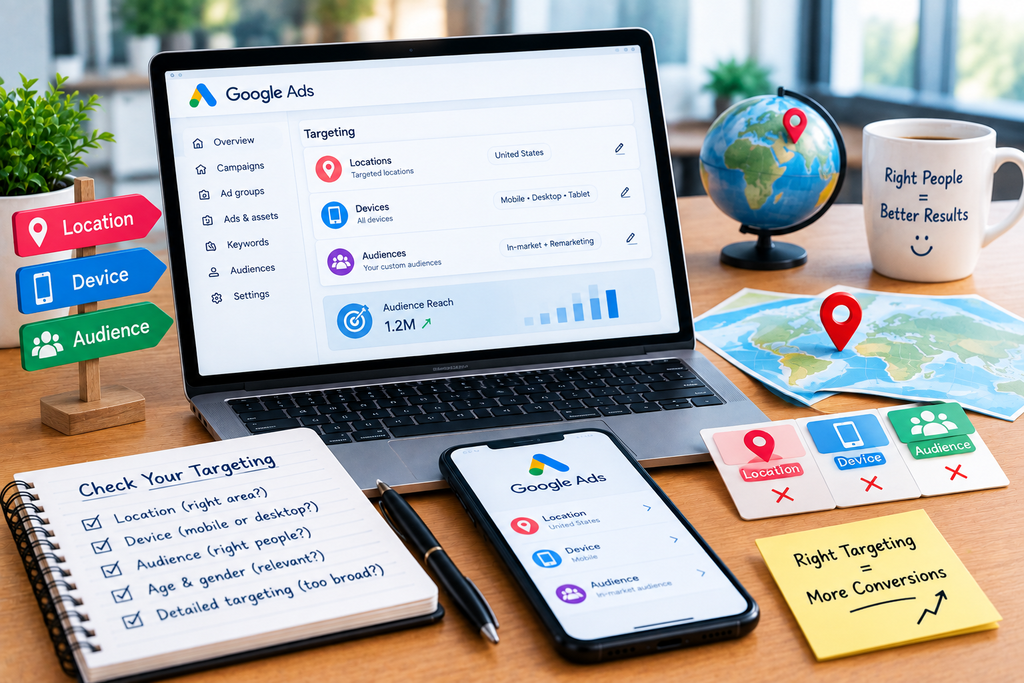
A campaign can have excellent keywords and advertisements but still generate poor results because the targeting does not match the business.
Check whether clicks are coming from:
- Locations you do not serve
- Areas outside your delivery range
- Devices where your website performs poorly
- Audiences that rarely become customers
- Times of day when your business cannot respond
- Languages your sales team does not support
For a local service business, this can be especially important. A plumbing company serving one city does not benefit much from paying for clicks from distant locations it cannot service.
Before excluding a segment, examine enough data to determine whether it is genuinely underperforming rather than reacting to a small sample.
9. Your Sales Team May Be Losing the Leads After the Click
If your conversion is a lead form, the Google Ads campaign is only responsible for part of the customer journey.
Suppose the campaign generates 40 legitimate inquiries but the sales team responds slowly, does not follow up consistently, or cannot qualify the leads effectively.
The advertising account may then look like a poor investment even though the campaign is producing genuine prospects.
Track the funnel:
Click → Lead → Qualified Lead → Sales Conversation → Customer
If leads are coming in but qualified opportunities are low, examine targeting and lead qualification.
If qualified leads are coming in but sales remain low, investigate pricing, sales follow-up, product fit, objections, and the offer.
This is also why you should not judge Google Ads exclusively by CTR or CPC.
How to Diagnose Google Ads Clicks With No Conversions
Use this order when troubleshooting:
Step 1: Test tracking
Complete the conversion yourself and verify that Google Ads records the action correctly.
Step 2: Review search terms
Find out what users actually searched before clicking.
Step 3: Check traffic quality
Look for irrelevant searches, locations, devices, or audiences.
Step 4: Compare ad and landing page
Make sure the landing page delivers what the advertisement promises.
Step 5: Examine the conversion process
Test forms, checkout, calls, bookings, and mobile usability.
Step 6: Review the offer
Determine whether price, value, trust, or objections are preventing action.
Step 7: Connect advertising with sales data
For lead-generation campaigns, determine whether the leads become qualified opportunities and customers.
This sequence prevents a common mistake: changing keywords or bids when the real problem is broken tracking or a weak landing page.
Conclusion
When Google Ads gets clicks but no conversions, do not immediately assume that the campaign needs more budget or cheaper clicks.
Start by finding the exact point where users stop progressing.
If conversions are not being recorded, investigate tracking. If the searches are irrelevant, improve targeting and negative keywords. If the traffic is relevant but visitors leave, examine the landing page and offer. If leads are arriving but sales are not happening, analyze the qualification and sales process.
Google itself recommends using conversion data, landing pages, and search-term information to understand and improve campaign performance.
The goal is not simply to generate more clicks. It is to turn relevant paid traffic into measurable business outcomes.
FAQs
1. Why are my Google Ads getting clicks but no conversions?
The most common areas to investigate are conversion tracking, search intent, traffic quality, landing-page relevance, the offer, and the conversion process. First verify that Google Ads is actually recording conversions correctly. Then examine the Search Terms Report to determine whether the people clicking your ads are searching for what you sell. If the traffic is relevant, test the landing page, CTA, form, checkout, and offer.
2. How many clicks should I get before deciding that a Google Ads campaign is not converting?
There is no universal number of clicks that proves a campaign is failing. The amount of data needed depends on factors such as conversion rate, product price, sales cycle, industry, keyword intent, and budget. A few clicks provide very little evidence. Instead of using an arbitrary click threshold, examine whether the traffic is relevant and whether conversions are being measured correctly.
3. Why do I get Google Ads clicks but no sales?
Clicks may come from people who are researching rather than buying, or the landing page may fail to communicate enough value to persuade them. Pricing, trust, product information, shipping costs, checkout friction, and the overall offer can also affect sales. If you generate leads rather than direct purchases, evaluate the entire process from click to qualified lead to customer.
4. Can a landing page cause Google Ads not to convert?
Yes. A landing page can lose relevant paid traffic when it does not match the advertisement, hides the main offer, creates unnecessary navigation, has a difficult form or checkout, performs poorly on mobile, or does not answer important purchase questions. Google recommends considering landing pages when optimizing campaigns focused on conversions.
5. How can I find out which searches are causing my Google Ads clicks?
Use the Search Terms Report in Google Ads. It provides information about searches that triggered your ads and can reveal relevant opportunities as well as searches that should potentially be excluded. Google recommends using this information to refine keywords and add irrelevant searches as negative keywords.
6. Should I pause my Google Ads campaign if it has clicks but no conversions?
Not necessarily. First determine whether the lack of conversions is caused by tracking, irrelevant traffic, insufficient data, landing-page problems, the offer, or the sales process. If the campaign is attracting relevant traffic, completely stopping it may remove potentially valuable demand before you understand the actual problem. Diagnose the conversion funnel first, then make targeted changes based on the evidence.
Let’s Talk About Your Business
Not sure which approach is right for your business? Get a free consultation with our team.