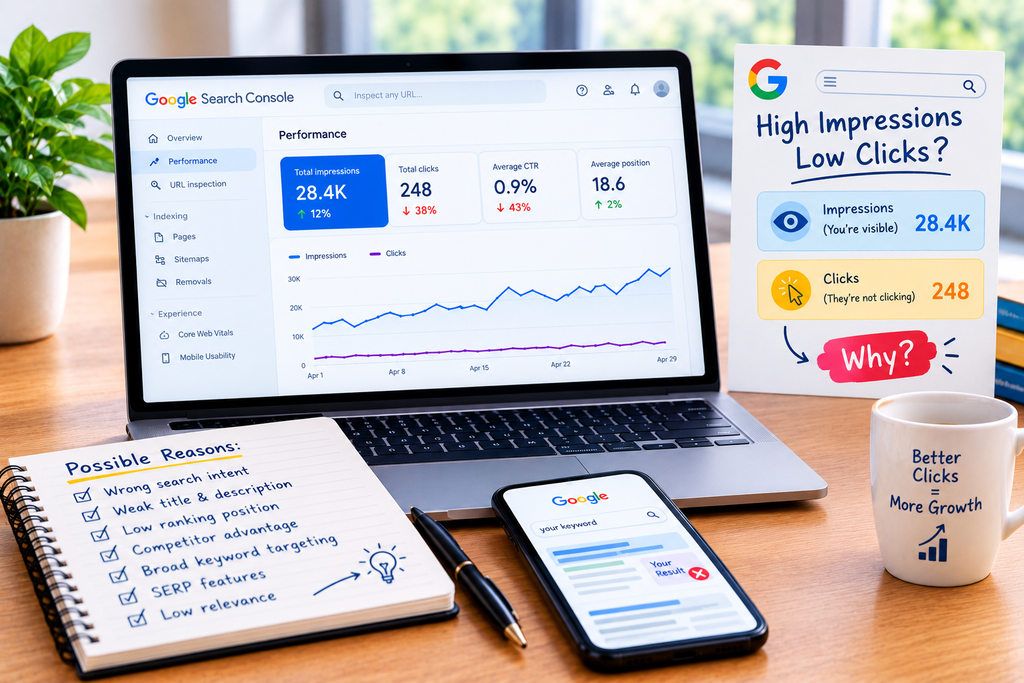
If your website is receiving a growing number of Google impressions but very few organic clicks, the problem is usually not that Google cannot find your website. Your pages are appearing in search results, but searchers are choosing other results instead.
In Google Search Console, an impression means your site’s result appeared in Google Search, while a click occurs when someone clicks through to your site. CTR, or click-through rate, is calculated by dividing clicks by impressions.
This creates an important distinction:
High impressions mean you are receiving visibility. Low clicks mean that visibility is not producing enough visits.
The reasons can vary. Your page may be ranking for queries that do not closely match its actual content, your title may be less compelling than competing results, the search intent may have changed, or your result may simply be appearing where users are less likely to click.
The right response is not to change everything at once. Start with Search Console, identify exactly which queries and pages have high impressions and low CTR, inspect the actual search results, and then improve the part of the result that is preventing the click.
What Does It Mean When a Website Has High Impressions but Low CTR?
A high-impression, low-CTR page is one that appears frequently in Google Search but receives relatively few clicks compared with those impressions.
Google Search Console lets you analyze clicks, impressions, CTR, and average position and break the data down by queries, pages, countries, devices, search appearance, and dates.
For example, imagine a page receives:
- 20,000 impressions
- 180 clicks
- 0.9% CTR
That does not automatically mean the page is performing badly. CTR varies depending on the query, search features, position, device, brand recognition, and what other results appear on the page.
A page ranking for a broad informational query can behave very differently from a page ranking for a highly specific product query.
Google itself recommends looking for high-impression, low-CTR queries and pages as opportunities to review titles, descriptions, and content alignment.
So the first question should be:
Which searches are generating my impressions without generating clicks?
1. Your Page Is Ranking for the Wrong Search Intent
One of the most common causes of low organic CTR is a mismatch between the query and the page.
Suppose you publish an article targeting:
“best accounting software for small businesses”
but the page mainly explains how accounting software works.
Google may still show the page for related searches because the content contains relevant concepts. However, someone looking for a comparison or buying recommendation may see your result and immediately recognize that it does not provide what they need.
The result gets an impression.
The searcher chooses another page.
This is why high impressions can sometimes reveal a keyword-targeting problem rather than a traffic problem.
How to check search intent
Open Search Console and go to the Performance report.
Then:
- Open the Queries tab.
- Sort by impressions.
- Look for queries with relatively low CTR.
- Select an important query.
- Review the pages receiving impressions for that query.
- Search the query yourself and examine the current results.
- Compare the intent of the ranking pages with your own page.
Google specifically recommends examining important low-CTR queries and looking at the actual search results to understand what may be attracting users to competing pages.
If most results are product pages and yours is a general blog post, or most results are step-by-step guides and yours is a sales page, the problem may be intent alignment rather than the wording of your title.
2. Your Title Is Not Competitive Enough
Your title is one of the most visible elements of a Google search result.
Google describes title links as an important source of information that helps users decide which result to click. Google may generate the title link from the page’s <title> element and other prominent page text, including headings.
That means simply placing your target keyword in the title is not enough.
Consider two possible results for someone searching for information about slow WordPress websites:
WordPress Website Speed | Example.com
versus:
Why Is My WordPress Website So Slow? 9 Causes and Fixes
The second title tells the searcher what problem the page addresses and what they can expect to find.
A useful title should be:
- Accurate
- Specific
- Concise
- Relevant to the query
- Clearly different from competing results
Avoid stuffing the same keyword into the title multiple times. Google specifically advises against keyword stuffing and unnecessarily repetitive title text.
3. Your Meta Description Does Not Sell the Click
The title gets attention, but the description underneath can help the searcher decide whether your page is worth opening.
Google primarily generates snippets from the actual content on the page. However, it may use the meta description when that description provides a more accurate representation of the page. Google can also generate different snippets for different searches.
Therefore, writing a meta description is not about forcing a specific sentence into every search result.
Instead, make the page itself clearly communicate the answer, while using a concise, relevant meta description that summarizes the value of the page.
For example, instead of:
“Learn SEO tips and SEO strategies for your website. Read our SEO guide today.”
a stronger description might explain the actual problem:
“Find out why Google shows your website but searchers do not click, including title, intent, snippet, ranking, and competitor-related CTR problems.”
The description should accurately represent what the visitor will find after clicking.
4. Your Competitors Are Giving Searchers a Better Reason to Click

Sometimes your page is relevant, your title is technically correct, and your description is reasonable—but competing results still look more useful.
This is where SERP analysis becomes essential.
Search the query and compare:
- Your title
- Competitors’ titles
- Search-result descriptions
- Content format
- Date information where displayed
- Product or service information
- Rich-result elements
- Brand recognition
- Search features appearing above or around the organic listings
You may discover that competitors are addressing the searcher’s exact question more directly.
For example, if users search:
“how to compress a PDF without losing quality”
and competing pages promise a specific solution while your title simply says:
PDF Compression Guide
your page may be relevant but less descriptive at a glance.
If this pattern appears across important queries, the broader problem may deserve a deeper competitor review, including [INTERNAL LINK: Why Are My Competitors Ranking Higher Than My Website for the Same Keywords?].
The important point is not to copy competing titles. Identify what information the searcher appears to value and make your own result clearer and more useful.
5. Your Average Position May Be Too Low for Strong CTR
CTR is heavily influenced by where and how your result appears in Search.
Search Console reports average position, but Google explains that this is an aggregated metric and should not be treated as a simple fixed ranking for every search. Google recommends paying attention to trends in impressions and clicks rather than relying on position alone.
A page appearing frequently lower on the results page can naturally receive fewer clicks than a page appearing prominently.
This is especially important when analyzing pages with thousands of impressions.
Do not conclude:
“My CTR is low, so my title must be bad.”
First determine where those impressions are coming from.
A page might have a low average CTR because it receives many impressions for queries where it appears near the bottom of the first page or beyond the strongest organic positions.
In that situation, rewriting the meta description alone will not solve the underlying visibility problem.
6. Google May Be Showing Your Page for Too Many Broad Queries
Another problem occurs when a page accumulates impressions for many loosely related searches.
A comprehensive article might appear for dozens or hundreds of related queries. Some can be highly relevant; others may only partially match the topic.
For example, a page about email marketing software could receive impressions for searches involving:
- Email marketing
- Email automation
- Newsletter software
- Marketing platforms
- CRM software
- Email templates
- Bulk email tools
Not every searcher has the same intent.
The result may therefore accumulate impressions without producing a corresponding number of clicks.
This is why you should analyze CTR at the query level, not only at the page level.
Search Console’s query data can reveal which specific searches are producing impressions, although Google notes that some anonymized queries are omitted from the report and not every query row is necessarily available.
7. Your Search Result May Not Communicate a Clear Benefit
Searchers do not click simply because a page exists.
They click when the result appears likely to solve their problem.
Compare:
Website Design Services | Company Name
with:
Custom Website Design for Small Businesses | Fast, Mobile-Friendly Sites
The second communicates more information about the service and intended audience.
This does not mean every title should become promotional. Search results should remain accurate and useful.
The goal is to make the value proposition obvious without making unsupported promises.
Google’s Search Essentials emphasize creating helpful, reliable, people-first content and using words that people actually use to search for the content.
8. Search Features May Be Changing the Click Opportunity
The traditional ten-blue-links model is no longer the entire search experience.
Google Search can display different visual elements depending on the query, device, location, language, and other factors. These can include images, videos, featured snippets, sitelinks, and other search features.
This matters because the same position number does not necessarily represent the same click opportunity across different searches.
For example, a standard organic result may appear alongside several other prominent elements that answer part of the query before a user reaches your listing.
You should therefore inspect the actual SERP for important low-CTR queries instead of relying only on average position in Search Console.
9. Structured Data Can Improve Appearance, but It Is Not a CTR Guarantee
Structured data can help Google understand certain types of content and can make pages eligible for supported rich-result features.
However, structured data does not guarantee that Google will display a rich result. Google explicitly states that structured data enables eligibility rather than guaranteeing a particular search appearance.
So adding schema simply because CTR is low is not a complete strategy.
First make sure the page has:
- The right search intent
- A useful title
- Accurate content
- A clear description
- Strong page relevance
- Appropriate structured data where applicable
Then use supported structured data correctly when it genuinely describes the visible page content.
How to Diagnose High Impressions but Low Clicks in Google Search Console
Use this process before changing your SEO strategy.
Step 1: Find high-impression, low-CTR queries
Open the Search Console Performance report and select:
Clicks + Impressions + CTR + Average Position
Then open Queries.
Sort by impressions and look for important queries with relatively low CTR.
Step 2: Separate branded and non-branded searches
Branded queries often come from people already familiar with your company, while non-branded searches can reveal opportunities to attract new users. Search Console now provides a branded/non-branded query filter for eligible properties.
A low CTR on branded searches can indicate a different problem from a low CTR on generic searches.
Step 3: Check the page behind each query
Click the query and open the Pages view.
Determine which URL Google is showing.
This prevents you from optimizing the wrong page.
Step 4: Search the query manually
Look at the actual Google results.
Ask:
- What type of pages rank?
- What questions do they answer?
- How are their titles written?
- What makes their results specific?
- Are there SERP features?
- Is my page actually the right result for this query?
Step 5: Improve one variable at a time
If intent is correct but the title is weak, update the title.
If the title is accurate but the content does not satisfy the query, improve the page.
If the page is relevant but competitors provide a clearer result, improve the value proposition and content alignment.
Avoid changing the title, URL, content, internal links, schema, and page structure simultaneously if you want to understand what actually affected performance.
How to Increase Organic Clicks Without Chasing an Arbitrary CTR
There is no single CTR percentage that every page should achieve.
A branded query, local query, informational query, product query, and highly competitive commercial query can all behave differently.
Instead of asking:
“What CTR should my website have?”
ask:
“Which important queries generate impressions without enough qualified clicks, and why?”
That question leads to actionable SEO work.
Prioritize pages where:
- Impressions are meaningful.
- The query is relevant to your business.
- The page is already receiving visibility.
- CTR appears weaker than expected for that specific query.
- The search result provides a realistic opportunity to improve.
This approach is much more useful than changing titles across the entire website without analyzing the underlying search data.
Final Takeaway
Getting Google impressions but very few organic clicks means your website has visibility, but that visibility is not converting into enough search traffic.
Start with Google Search Console, not assumptions.
Find high-impression, low-CTR queries. Identify the pages receiving those impressions. Check the search intent. Inspect the actual SERP. Compare your title and snippet with competing results. Then determine whether the real problem is weak messaging, intent mismatch, insufficient ranking visibility, broad query targeting, or the competitive search environment.
Your title and description matter because they help searchers understand whether a result is relevant, but improving CTR is not simply a matter of writing a more clickable headline. Google can generate title links and snippets from multiple sources, and the search experience varies by query, device, location, and other factors.
The strongest SEO improvement comes from connecting three things:
the query the person searched → the result they see → the page they reach.
When those three elements match closely, your impressions have a much better chance of becoming qualified organic clicks.
FAQs
1. Why is my website getting impressions but no clicks?
Your pages are appearing in Google Search, but searchers are choosing other results. Common causes include a mismatch between the search query and your page, an unclear title, a weak or inaccurate snippet, low search-result visibility, broad query targeting, or stronger competing results. Search Console can help identify the exact queries and pages responsible.
2. What is a good CTR for Google Search?
There is no single CTR that is considered good for every website or keyword. CTR depends on factors such as search intent, ranking position, brand recognition, device, query type, and the other search features displayed. Compare CTR between similar queries and pages over time rather than using one universal benchmark.
3. How do I find high-impression, low-CTR keywords?
Open Google Search Console’s Performance report, select clicks, impressions, CTR, and average position, then open the Queries tab. Sort the data by impressions and identify relevant queries with relatively low CTR. Click individual queries to see which pages are receiving the impressions and investigate the actual search results.
4. Can changing my meta description increase organic clicks?
It can help when the description accurately communicates why the page is relevant, but Google does not always use the meta description in the displayed snippet. Google primarily generates snippets from page content and may use the meta description when it provides a better description of the page.
5. Why does my competitor get clicks when my page also ranks for the same keyword?
Ranking for the same keyword does not mean the results are equally attractive or equally aligned with the searcher’s intent. Your competitor may have a clearer title, better-matched content, stronger brand recognition, a more useful result format, or a search-result presentation that better communicates what the user will find after clicking.
6. Should I change my title if my page has high impressions but low CTR?
A title review is often worthwhile when a relevant page has substantial impressions but unexpectedly low CTR. However, first check the query, search intent, average position, and actual SERP. If the page is ranking for irrelevant queries or is positioned poorly, changing only the title may not address the real problem. Google recommends reviewing titles and descriptions alongside the queries and pages generating low CTR.
Let’s Talk About Your Business
Not sure which approach is right for your business? Get a free consultation with our team.