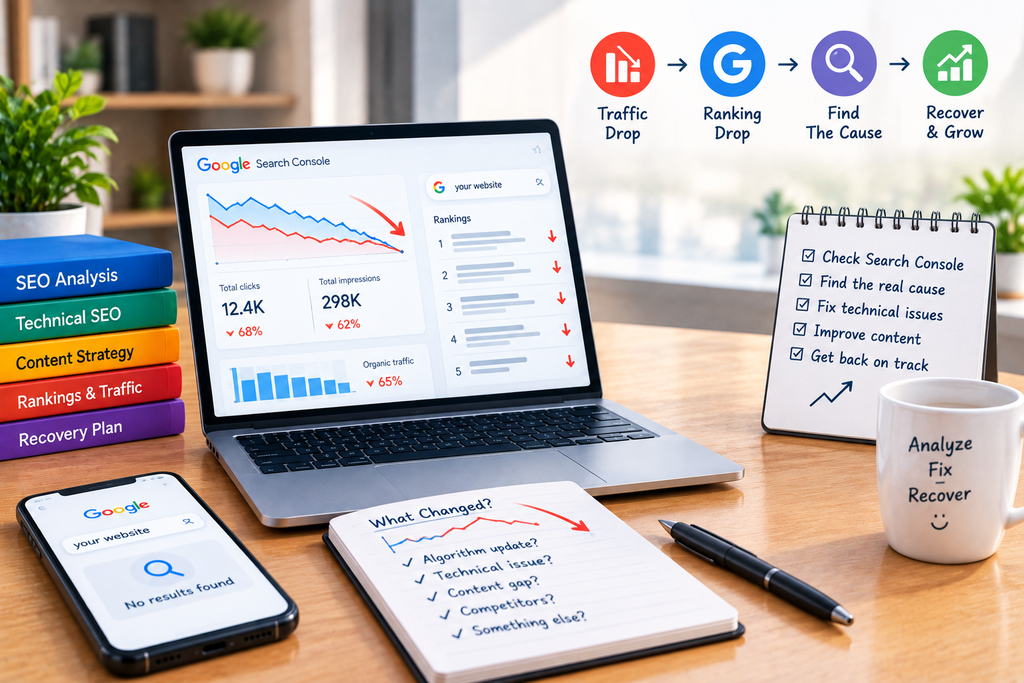
A sudden decline in Google traffic is one of the most alarming things an SEO can see. One day your website is generating consistent organic visits, and shortly afterward clicks, impressions, and rankings appear to fall.
The first mistake is assuming that every traffic drop is caused by a Google algorithm update.
A decline can also come from technical changes, indexing problems, website migrations, lost rankings for a small group of important pages, seasonal demand, changes in search behavior, stronger competitors, or even an analytics tracking problem.
The right response is therefore not to immediately rewrite your entire website or publish dozens of new articles. First determine what actually changed, when it changed, and which pages and queries were affected.
1. Start by Confirming That the Traffic Drop Is Real
Before changing your SEO strategy, verify the decline using more than one data source.
Check:
- Google Search Console
- Google Analytics or your analytics platform
- server logs if available
- individual landing pages
- organic search traffic
- branded and non-branded queries
Google Search Console’s Performance report provides clicks, impressions, click-through rate, and average position, and lets you break performance down by queries, pages, countries, devices, and search appearance. Google Search Console Performance Report
This matters because a traffic decline in analytics does not necessarily mean Google rankings fell.
For example, if Search Console clicks and impressions remain stable but Google Analytics shows a large decline, investigate your analytics implementation before assuming you have an SEO problem.
Likewise, if impressions have dropped sharply while clicks have dropped by a similar amount, you are probably dealing with a visibility problem rather than simply a lower click-through rate.
2. Identify Exactly When the Decline Started
The timing of the drop can provide an important clue.
Open your Search Console Performance report and compare the affected period with an appropriate previous period. Look for the specific day or week when performance changed.
Then ask:
- Did the decline happen suddenly or gradually?
- Did clicks fall while impressions remained stable?
- Did both clicks and impressions fall?
- Did average position change?
- Did only certain pages decline?
- Did only specific search queries decline?
- Did mobile traffic change differently from desktop traffic?
A sudden decline across many pages suggests a different problem from a gradual decline affecting one content category.
Google also cautions that Search Console’s newest data can sometimes be preliminary, so avoid making major decisions based only on the most recent incomplete data.
3. Check Whether Google Still Has Your Important Pages Indexed

One of the first technical checks should be indexing.
A ranking drop can occur when important URLs become unavailable to Google because of a website change, incorrect noindex directives, canonicalization problems, server errors, redirects, or other crawling issues.
Check your most important pages individually in Google Search Console using URL Inspection.
Look for:
- indexing status
- Google-selected canonical
- crawl availability
- redirects
- robots restrictions
- indexing errors
- recent URL changes
If a page that previously generated substantial organic traffic is no longer indexed, you have identified a much more direct problem than “Google doesn’t like my content.”
Do not immediately request indexing for hundreds of URLs. First determine why the pages disappeared from Google’s index and correct the underlying issue.
4. Check for Website Changes Made Before the Drop
Think about everything that changed shortly before the decline.
Common examples include:
- redesigning the website
- changing the CMS
- changing URL structures
- migrating to another domain
- modifying internal links
- changing navigation
- deleting old pages
- replacing page content
- changing canonical tags
- modifying robots.txt
- adding or removing noindex
- changing hosting or server configuration
- installing a new SEO plugin
- changing JavaScript rendering
This is especially important when traffic drops immediately after a development or redesign project.
Google’s documentation on site migrations recommends monitoring traffic and indexing during major URL changes and notes that ranking fluctuations can occur while Google recrawls and reprocesses the new URLs.
If the traffic decline began immediately after a website migration, investigate the migration before changing your content strategy.
5. Determine Whether a Google Algorithm Update Is Involved
If there was no obvious website change, investigate Google’s ranking-system updates.
A traffic decline that begins around the same time as a major Google update can be a useful clue, but correlation does not prove that the update caused your decline.
Do not assume:
“Google released an update → my traffic dropped → therefore I was penalized.”
Core updates are broad changes to Google’s search systems. A decline can mean that other pages became more useful or better aligned with the updated systems rather than that Google issued a manual penalty against your site.
If the timing appears related, compare your affected pages before and after the change.
Ask:
- Which topics lost visibility?
- Which queries declined?
- Did competitors replace your pages?
- Were the affected pages genuinely more useful than the new results?
- Did the decline affect the entire site or only particular sections?
This distinction matters because the recovery strategy depends on the cause.
6. Look for a Drop in Impressions Versus a Drop in Clicks
Not all traffic declines mean the same thing.
Impressions dropped
If impressions declined significantly, your pages are appearing in Google less frequently.
Potential causes include:
- ranking losses
- reduced search demand
- indexing problems
- algorithmic changes
- competitors gaining visibility
- loss of visibility for important queries
Impressions stayed similar but clicks dropped
This points toward a different problem.
Your pages are still appearing, but users are clicking them less often.
Possible explanations include:
- lower average positions
- less attractive search snippets
- changes in search-result layouts
- changes in the queries triggering your pages
- stronger competing results
Google’s Search Console documentation specifically recommends examining pages with high impressions and low CTR and reviewing their titles, snippets, and content alignment.
This is why looking only at total organic traffic is not enough.
7. Find the Pages Responsible for the Traffic Loss
Do not analyze the website only as one large property.
Go to Search Console and compare performance by page.
Suppose your website normally receives 100,000 organic clicks per month and then drops to 70,000.
That 30,000-click loss might come from:
- one major page
- ten important pages
- one entire content category
- thousands of smaller URLs
These situations require completely different responses.
If one page lost most of its traffic, investigate that page’s keywords, competitors, content, links, indexing, and search intent.
If an entire directory lost visibility, investigate whether a template, technical configuration, or content-type issue affected that section.
If the decline is distributed across almost every page, investigate broader technical, algorithmic, or site-level causes.
8. Compare Your Lost Rankings With Current Competitors
Once you identify affected queries, search them and compare your previous position with the current results.
Do not simply ask, “Why did I fall?”
Ask:
“What changed about the pages now ranking above me?”
Compare:
- content depth
- accuracy
- topical coverage
- page structure
- original information
- examples
- author expertise
- internal linking
- user experience
- freshness where freshness matters
- relevance to the query
The goal is not to copy competitors.
You need to determine whether Google’s current results indicate that searchers now expect something different from the query.
For example, if your old article was a 1,000-word overview but current results are detailed step-by-step guides with examples and practical solutions, simply changing the title will probably not address the competitive gap.
9. Check for Technical SEO Problems
A traffic decline can also originate from a technical issue that affects many URLs simultaneously.
Audit:
- robots.txt
- noindex directives
- canonical tags
- XML sitemaps
- redirects
- HTTP status codes
- internal links
- JavaScript rendering
- server availability
- mobile accessibility
- duplicate URLs
Pay particular attention to recent development changes.
For example, a developer may unintentionally add a noindex directive to an entire template. A redesign may remove internal links to important pages. A migration may redirect old URLs incorrectly.
Google’s documentation also notes that Google may choose a different canonical URL from the one a site owner specifies, so unexpected canonicalization should be investigated rather than assumed to be correct.
10. Review Your Content Before Making Large-Scale Changes
If technical problems are not responsible and the decline appears algorithmic or competitive, evaluate the affected content honestly.
Ask:
- Does the page answer the main question quickly?
- Is the information accurate and current?
- Does it provide useful original information?
- Does it actually demonstrate experience or expertise where appropriate?
- Does it satisfy the intent behind the query?
- Does it contain unnecessary sections written only to increase word count?
- Are there important questions that competitors answer better?
Avoid blindly adding words.
A 2,500-word article is not automatically better than a 1,000-word article. The objective is to make the page more useful for the specific search rather than simply making it longer.
How to Recover Lost Google Traffic
Once you have identified the likely cause, recovery should be systematic.
Step 1: Fix technical problems first
If pages are blocked, deindexed, redirected incorrectly, or inaccessible, resolve those issues before rewriting content.
Step 2: Prioritize the pages that lost the most value
Do not update every page simultaneously. Start with pages that historically generated significant organic traffic or have strong business value.
Step 3: Reassess search intent
Study the current results and determine whether the page still matches what users expect.
Step 4: Improve the actual content
Remove outdated information, fill important gaps, add useful examples, improve clarity, and strengthen the page’s unique value.
Step 5: Strengthen internal links
Connect affected pages with relevant supporting content so users and search engines can discover related resources more easily.
Step 6: Monitor performance
After implementing changes, track clicks, impressions, queries, pages, and average position instead of repeatedly checking one keyword manually.
Recovery is not always immediate. Google needs to recrawl and reassess changed pages, and improvements do not guarantee that a page will return to its previous position.
When Should You Worry About a Traffic Drop?
A sudden decline deserves immediate investigation when:
- organic traffic falls substantially
- important commercial pages disappear from Search
- impressions decline sharply
- multiple sections lose rankings simultaneously
- the decline follows a website migration
- pages become deindexed
- Search Console reports technical problems
- a manual action or security issue appears
However, a small short-term fluctuation is not automatically a crisis.
Search demand changes, competition changes, seasonality affects some industries, and Google’s results can fluctuate.
The goal is to distinguish a temporary variation from a genuine structural decline.
Conclusion
When website traffic and Google rankings suddenly drop, the worst response is to make random SEO changes without identifying the cause.
Start with data.
Determine when the decline began, compare clicks with impressions, identify affected pages and queries, check indexing and technical changes, investigate algorithm updates, and compare your current competitors with the pages that previously ranked.
Once you understand the cause, recovery becomes much more practical.
If the problem is technical, fix the technical issue. If the page no longer satisfies search intent, improve the content. If competitors have become stronger, identify the specific gaps you need to close. And if the decline followed a Google update, evaluate the affected content carefully rather than assuming you received a penalty.
SEO recovery is not about finding one secret ranking trick. It is about identifying what changed, why it changed, and what your website needs to do better now.
FAQs
1. Why did my Google traffic suddenly drop overnight?
A sudden drop can have several causes, including ranking changes, indexing problems, technical website changes, a Google search-system update, changes in search demand, or analytics problems. Start by comparing Google Search Console clicks, impressions, average position, pages, and queries before assuming an algorithm penalty.
2. How do I know if a Google algorithm update caused my traffic drop?
Compare the date your traffic declined with Google’s documented updates, then determine whether the decline affected specific pages, topics, or queries. An overlap in timing is evidence worth investigating, but it does not prove that an update caused the decline. You should also rule out technical and indexing problems.
3. Can a website redesign cause Google rankings to drop?
Yes. A redesign can unintentionally change URLs, internal links, canonical tags, content, navigation, redirects, or crawlability. If rankings declined shortly after a redesign, compare the old and new versions and inspect important URLs in Search Console.
3. Can a website redesign cause Google rankings to drop?
Yes. A redesign can unintentionally change URLs, internal links, canonical tags, content, navigation, redirects, or crawlability. If rankings declined shortly after a redesign, compare the old and new versions and inspect important URLs in Search Console.
4. Why did my impressions drop but my rankings seem unchanged?
Average position is an aggregate metric and can hide changes across individual queries and pages. Impressions can also decline when search demand changes or when your pages stop appearing for some queries even if the overall average position does not move dramatically. Analyze individual pages and queries rather than relying only on the site-wide average.
5. Should I delete old pages after losing Google traffic?
Not automatically. First determine why the pages lost traffic. A page may need updating, consolidation, better internal linking, or a technical fix rather than deletion. Removing URLs without understanding their search value can create additional SEO problems.
6. How long does it take to recover lost Google rankings?
There is no guaranteed recovery period. After fixing a technical issue or improving content, Google needs to recrawl and reassess the affected pages. The timeframe can vary depending on the website, number of URLs, type of change, and Google’s processing of those changes. A recovery also is not guaranteed if competing pages now provide a better result for the query.
Let’s Talk About Your Business
Not sure which approach is right for your business? Get a free consultation with our team.